
Infinite Painter
In-app purchases

star
248K reviews

PEGI 3
info
10M+
Downloads
Enjoy this app, plus many more free of ads and in-app purchases, with a Google Play Pass subscription. Terms apply. Learn more


About this app
Experience one of the best-designed painting, sketching, and drawing apps for tablets, phones, and Chromebooks. Used by millions, this award-winning app brings rich, powerful features to all artists, whether art is your hobby, passion or career.
HIGHLIGHTS
- Best-in-class pencils
- Minimal and intuitive interface
- Robust, powerful tool set
- Share Timelapse recordings with your friends
- Convert brush strokes into editable shapes
REIMAGINING BRUSHES
- Hundreds of built-in brushes
- Realistic brush to canvas interaction
- Over 100 customizable brush settings
- Organize and share your favorite brushes and brush sets
- Designed for stylus devices with full pressure and tilt support
- Apply realtime color adjustments and live effects to any brush
- Sample lower layers when blending
- Import and export custom brushes and brush sets
GETTING THE MOST OUT OF YOUR SPACE
- More canvas, less clutter with a clean, customizable interface
- Assign finger functions separate from your stylus
- Expand and collapse layers with a flick
- Dock brush settings for quick, easy editing
- Quick access eyedropper
- Rotate and flip canvas with gestures
- Group layers with a pinch
MAKING ART LESS WORK
- Pin tools and actions to the main interface
- Pull the color wheel on the canvas with two fingers
- Add multiple reference images
- Lighting-fast saving and loading
- Step back in time with Project History
DIVERSIFYING TOOLS
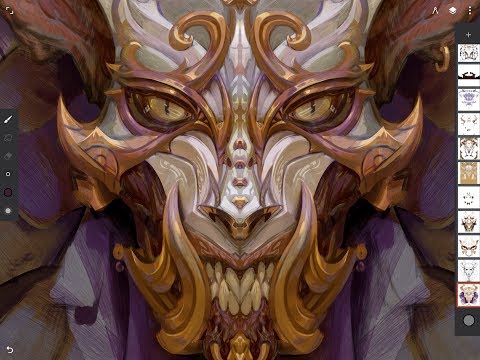
- Simple or complex symmetry with Radial or Kaleidoscope
- Draw with precision using Guides or Shapes
- Smart shape detection by pausing when drawing
- Innovative Hatching guide
NEVER LOSING PERSPECTIVE
- Design 3D cityscapes with five different Perspective Guides
- Drag Rectangle and Circle shapes in perspective
- Create game art with Isometric perspective
PIXEL-PERFECT EDITING
- Seamless Pattern projects
- Selection & Masking tools
- Industry-leading Transformations
- Transform multiple layers at once
- Gradient and Pattern Fill tools
- Target separate layers or all layers with Fill tools
- Drag with Fill tool or Magic Wand for live tolerance adjustment
- Bring your painting to life with Timelapse
- Canvas Preview with flip and grayscale (for checking proportions and values)
- Artistic & Photo cloning
- Tools for pattern creation
EVERYTHING YOU NEED TO CREATE
- 64-bit Deep Color when painting
- Layer support with 30 blend modes
- Masks for layers, adjustments, and groups
- Clipping masks
- Gradient map, Color Curves, and Filter layers
- Industry-leading color correction
- Over 40 live Filter effects
- Focus and Tilt-shift masking
- Liquify
- Crop and Resize
- Pattern and Array tools
- Powerful selection workspace
- Photoshop®-like smart layers for multiple transformations without loss of quality
- Solo & Trace modes
- Print presets & CMYK color modes
ACCELERATE YOUR WORKFLOW
- Import from Photos, Camera, Clipboard, or Image Search
- Search over 1 million free for commercial-use images
- Export images as JPG, PNG, WEBP, ZIP, layered PSD files, or Painter projects
- Share artwork to Infinite Painter's ever-growing community and see what others are creating #InfinitePainter
WHAT’S FREE?
- 3 layers at the device resolution
- Solid Fill, Lasso selection, Basic Transform and Symmetry tools
- Seamless Pattern projects
- All the built-in brushes and brush editing
- Smart shape detection
WHAT’S PRO?
- HD canvas sizes and tons of layers*
- Adjustments and live Filter layers
- Layer groups and masks
- Over 40 powerful, professional tools
* Maximum number of layers depends on the canvas size and your device
TAKE INFINITE PAINTER WITH YOU
See what you can do.
ARTIST CREDITS
Tiffanie Mang
Yong Hong Zhong
Kamila Stankiewicz
Anthony Jones (RobotPencil)
Andrew Theophilopoulos (Theonidas)
Piotr Kann
@dwight_theartist
Constantine Rotkevich
Diane Kay
Ssecretgarden
Gadelhac
RapCore
Sunyu
HIGHLIGHTS
- Best-in-class pencils
- Minimal and intuitive interface
- Robust, powerful tool set
- Share Timelapse recordings with your friends
- Convert brush strokes into editable shapes
REIMAGINING BRUSHES
- Hundreds of built-in brushes
- Realistic brush to canvas interaction
- Over 100 customizable brush settings
- Organize and share your favorite brushes and brush sets
- Designed for stylus devices with full pressure and tilt support
- Apply realtime color adjustments and live effects to any brush
- Sample lower layers when blending
- Import and export custom brushes and brush sets
GETTING THE MOST OUT OF YOUR SPACE
- More canvas, less clutter with a clean, customizable interface
- Assign finger functions separate from your stylus
- Expand and collapse layers with a flick
- Dock brush settings for quick, easy editing
- Quick access eyedropper
- Rotate and flip canvas with gestures
- Group layers with a pinch
MAKING ART LESS WORK
- Pin tools and actions to the main interface
- Pull the color wheel on the canvas with two fingers
- Add multiple reference images
- Lighting-fast saving and loading
- Step back in time with Project History
DIVERSIFYING TOOLS
- Simple or complex symmetry with Radial or Kaleidoscope
- Draw with precision using Guides or Shapes
- Smart shape detection by pausing when drawing
- Innovative Hatching guide
NEVER LOSING PERSPECTIVE
- Design 3D cityscapes with five different Perspective Guides
- Drag Rectangle and Circle shapes in perspective
- Create game art with Isometric perspective
PIXEL-PERFECT EDITING
- Seamless Pattern projects
- Selection & Masking tools
- Industry-leading Transformations
- Transform multiple layers at once
- Gradient and Pattern Fill tools
- Target separate layers or all layers with Fill tools
- Drag with Fill tool or Magic Wand for live tolerance adjustment
- Bring your painting to life with Timelapse
- Canvas Preview with flip and grayscale (for checking proportions and values)
- Artistic & Photo cloning
- Tools for pattern creation
EVERYTHING YOU NEED TO CREATE
- 64-bit Deep Color when painting
- Layer support with 30 blend modes
- Masks for layers, adjustments, and groups
- Clipping masks
- Gradient map, Color Curves, and Filter layers
- Industry-leading color correction
- Over 40 live Filter effects
- Focus and Tilt-shift masking
- Liquify
- Crop and Resize
- Pattern and Array tools
- Powerful selection workspace
- Photoshop®-like smart layers for multiple transformations without loss of quality
- Solo & Trace modes
- Print presets & CMYK color modes
ACCELERATE YOUR WORKFLOW
- Import from Photos, Camera, Clipboard, or Image Search
- Search over 1 million free for commercial-use images
- Export images as JPG, PNG, WEBP, ZIP, layered PSD files, or Painter projects
- Share artwork to Infinite Painter's ever-growing community and see what others are creating #InfinitePainter
WHAT’S FREE?
- 3 layers at the device resolution
- Solid Fill, Lasso selection, Basic Transform and Symmetry tools
- Seamless Pattern projects
- All the built-in brushes and brush editing
- Smart shape detection
WHAT’S PRO?
- HD canvas sizes and tons of layers*
- Adjustments and live Filter layers
- Layer groups and masks
- Over 40 powerful, professional tools
* Maximum number of layers depends on the canvas size and your device
TAKE INFINITE PAINTER WITH YOU
See what you can do.
ARTIST CREDITS
Tiffanie Mang
Yong Hong Zhong
Kamila Stankiewicz
Anthony Jones (RobotPencil)
Andrew Theophilopoulos (Theonidas)
Piotr Kann
@dwight_theartist
Constantine Rotkevich
Diane Kay
Ssecretgarden
Gadelhac
RapCore
Sunyu
Painting, drawing, & sketching
Updated on
Safety starts with understanding how developers collect and share your data. Data privacy and security practices may vary based on your use, region, and age. The developer provided this information and may update it over time.


Ratings and reviews
161K reviews

A Google user
- Flag inappropriate
- Show review history
February 10, 2020
"In-app purchases" really means you get a timed trial for 1 week then have to pay for EVERYTHING! They should just say that! I now have half-finished drawings that I can't finish unless I buy everything!! Also it's glitchy as heck! The app frequently crashes and closes at random intervals so you need to save your work every 15 mins if you don't want to lose what you've been doing. Now my version won't import ANY images. It was fine a week ago, now I can't import anything. I even tried importing an image I'd already used as a new project to test but the app just closes itself! BELIEVE THE REVIEWS THAT HIGHLIGHT THE FLAWS. THIS IS A VERY BROKEN APP AND YOU WILL LOSE WORK! It has potential but not before they fix a LOT of the issues. Time to try something else! Also, the help forums don't seem to be moderated and you just get insulted and sworn at when asking for basic help information (possibly by their staff?). Very unprofessional and very off-putting. They have a lot of work to do before I would consider paying them a penny.
555 people found this review helpful

Jonathan Machell
- Flag inappropriate
April 28, 2022
As a test, I created several drawings and renamed them. When I went back into Infinite Painter, some of the drawings had disappeared and some had reverted back to a previous name. When I go back to my gallery, it's kind of pot luck which of my saved drawing will still be there and what they'll be named! Not great if you've spent hours working on a drawing. Asked for a refund on 5th April and still waiting.
9 people found this review helpful
A Google user
- Flag inappropriate
September 17, 2019
I've been using the free version for the last few days and never having created digital art before I absolutely loved it. So much so, I decided to buy it while it was on trial discount. I've literally just paid for it and suddenly the brush toolbar has disappeared rendering it useless!! Hence the drop in stars. Please confirm this is a temporary blip or I'll be wanting a refund?!
28 people found this review helpful
What’s new
7.2.11:
- Improved PSD support
- Redesigned Classroom with short video demos
- Improved Timelapse quality for longer project sessions
7.2:
- New Text tool
Visit www.infinitestudio.art for details and feedback.
- Improved PSD support
- Redesigned Classroom with short video demos
- Improved Timelapse quality for longer project sessions
7.2:
- New Text tool
Visit www.infinitestudio.art for details and feedback.
App support
About the developer
Infinite Studio LLC
support@infinitestudio.art
1001 Wilshire Blvd
Los Angeles, CA 90017
United States
+1 213-866-2595


