
OPPO Clone Phone

star
15.8K reviews

PEGI 3
info
10M+
Downloads


About this app
Clone Phone, as the OPPO official phone switching tool, is safe and convenient and can transfer all your data of the old phone to the new one.
Clone Phone does not consume data and it will perfectly transfer your data to the new phone.
[Complete data transfer]
Transfer all your data on the old phone completely, including contacts, messages, call history, photos, videos, audios, files, system application data, installed apps and their data (e.g., Wechat and QQ chat records).
[Easy operation]
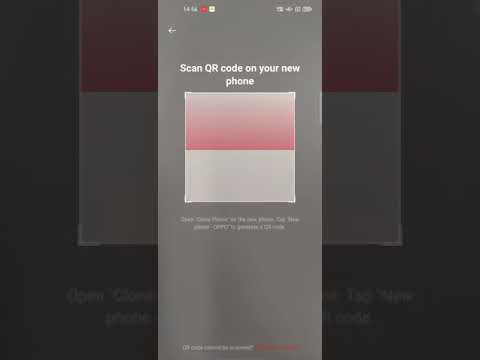
Connect two phones by scanning the QR code.
[No need to connect network, 0 data consumption]
Clone Phone is used through Wi-Fi connection of the two phones to transfer data and files, with no need to consume any data.
[Point to point transfer, quick and safe]
Devices, like computer, connection line, and network are not needed. Data and files can be transferred directly to the new phone, relieving you from tedious process and privacy leakage.
Clone Phone does not consume data and it will perfectly transfer your data to the new phone.
[Complete data transfer]
Transfer all your data on the old phone completely, including contacts, messages, call history, photos, videos, audios, files, system application data, installed apps and their data (e.g., Wechat and QQ chat records).
[Easy operation]
Connect two phones by scanning the QR code.
[No need to connect network, 0 data consumption]
Clone Phone is used through Wi-Fi connection of the two phones to transfer data and files, with no need to consume any data.
[Point to point transfer, quick and safe]
Devices, like computer, connection line, and network are not needed. Data and files can be transferred directly to the new phone, relieving you from tedious process and privacy leakage.
Clone Phone can transfer all your data of the old phone to the new OPPO one.
Updated on
Safety starts with understanding how developers collect and share your data. Data privacy and security practices may vary based on your use, region, and age. The developer provided this information and may update it over time.
- No data shared with third partiesLearn more about how developers declare sharing
- No data collectedLearn more about how developers declare collection


Ratings and reviews
15.7K reviews

Patrick Hines
- Flag inappropriate
- Show review history
August 4, 2022
I rarely write reviews, but I felt I should after seeing some of the negative reviews posted here. I had absolutely no issue with the app - it worked just as it should, and quickly. In about 10 minutes, everything I needed from my old Samsung Galaxy 8 was on my new Oppo Find 3 Neo. About the only thing that didn't transfer was some of my saved passwords, but that was a minor inconvenience, as far as I was concerned.
473 people found this review helpful

Madhavi Chakravarthy
- Flag inappropriate
July 5, 2026
I have an X9 ultra which I recently purchased and an Find N3 flip. the Clone phone app has not been functioning on the X9 ultra despite all permissions enabled. Everytime I try to transfer the apps from N3 Flip to X9, the permission setting on X9 ultra is not allowing to transfer although the Nearby devices permission is on and shows an error message as Permission needed for Nearby devices. I tried everything possible but in vain.
13 people found this review helpful

cassie
- Flag inappropriate
October 2, 2020
Finally worked. Downloaded by Optus store to transfer data. Now I can't get rid of it. How do you uninstall. All data downloaded is kept by the app in the cloud as well as per missions for everything on your phone. Even back to factory settings can't get rid of it. It then downloads your data apps etc again. Then gives itself all permissions again. Help?
933 people found this review helpful
What’s new
1. Adapt to the new Android system and add more device and screen adaptations.
2. Improve connection and transmission stability.
3. Fixed some crashes and connection failures to improve user experience;
4. Fixed some interface display problems.
2. Improve connection and transmission stability.
3. Fixed some crashes and connection failures to improve user experience;
4. Fixed some interface display problems.
App support
About the developer
HEYTAP PTE. LTD.
support@heytap.com
138 Market Street
#15-03 Capitagreen
Singapore 048946
+91 92203 38692


