
Email Aqua Mail - Secure Inbox
Contains adsIn-app purchases

star
196K reviews

PEGI 3
info
5M+
Downloads


About this app
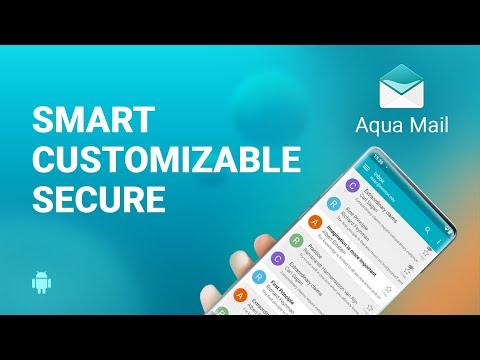
Aqua Mail is a private, secure email client for Android. It brings Gmail, Outlook, Hotmail, Yahoo Mail, iCloud Mail, Exchange, and Office 365 into one unified inbox. It also works as an IMAP and POP3 mail client for almost any provider. Downloaded over 5 million times, it is a free, intuitive, and customizable email app, simple to set up and backed by fast, human support.
■ Which email accounts work with Aqua Mail?
Aqua Mail works with Gmail, Outlook.com, Hotmail, Yahoo Mail, iCloud Mail, AOL Mail, GMX, Fastmail, Yandex Mail, Exchange, and Microsoft 365. Zoho Mail works on paid plans with IMAP. Webmail and custom domain email work too, from any IMAP or POP3 mailbox with SMTP. Type your email address, whether it ends in @gmail.com or your own domain, and Aqua Mail detects the account type.
■ Can I see all my email in one inbox?
Yes. The Smart Folder is Aqua Mail's unified inbox and email organizer. It collects new mail from multiple email accounts into one list, so you can check Gmail, Yahoo Mail, Outlook, and Hotmail email in one place.
■ Does Aqua Mail work with Microsoft Exchange and Office 365?
Yes. Aqua Mail is a business email client for work email on Exchange, Office 365, and Microsoft 365. Exchange email, contacts, and calendars sync with any calendar app or widget on your phone. Office 365 email connects through Microsoft Graph for secure, reliable sync. Premium adds Push for Exchange for immediate mail delivery.
■ Is Aqua Mail a private, secure email app?
Yes. Aqua Mail is not a cloud-based email client: it does not collect or store your passwords, emails, or message content. Gmail, Yahoo, Hotmail, Yandex, and Outlook email accounts sign in with OAuth2, so Aqua Mail never sees those passwords. For email security, connections use hardened SSL with certificate tracking, and Aqua Mail checks DKIM and SPF to help verify senders. Lock the app with a PIN or fingerprint (on supported devices) and choose when it locks: immediately or after up to an hour. Premium adds S/MIME for safe, signed, and encrypted email.
■ How customizable is Aqua Mail?
300+ features let you tune Aqua Mail to the way you work:
• Swipe between emails and select all in one tap
• Dark mode, plus text size control with the volume keys
• Rich text editor with fonts, colors, quoting options, and attachments
• A different signature for each account, with HTML, images, and links
• Notification, mail checking, and battery-saving options
■ What else can Aqua Mail do?
• Home screen widgets show priority mail at a glance
• Offline email: read downloaded mail with no connection
• Wear OS support: read your mail on your watch
• Handle large attachments
• Save any email as a PDF
• Back up and restore settings via a file or the cloud (Dropbox, OneDrive, Google Drive)
■ Is Aqua Mail free?
Yes. Aqua Mail is free to download and use, with ads. Aqua Mail Premium adds:
• Unlimited email accounts
• No ads
• Push for Exchange
• Mail identities (unlimited aliases)
• Filters (rules) for Outlook mail accounts
• Priority notifications
• S/MIME end-to-end encryption
• Email backup, plus an EML viewer to open and save EML files
• Copy emails to folders and delete folders
• Move messages between accounts
• Unsubscribe from mailing lists
• Pin messages and set email reminders
• Scheduled backups
■ How do I get help with Aqua Mail?
Aqua Mail offers fast, responsive user support from its own team. Send any question, complaint, or ticket, and a real person will help you sort it out.
■ Who is Aqua Mail for?
People who want one email manager for a personal Gmail or Yahoo Mail account and a work Exchange or Microsoft 365 account. Small businesses on Zoho Mail and IT teams managing corporate email. Privacy-minded users who want a private email app that does not read their mail. Anyone looking for a stock email app replacement.
Aqua Mail is available in 20 languages and runs on Android 7 or later, on phones and tablets. Keep every email account in one fast, secure inbox.
■ Which email accounts work with Aqua Mail?
Aqua Mail works with Gmail, Outlook.com, Hotmail, Yahoo Mail, iCloud Mail, AOL Mail, GMX, Fastmail, Yandex Mail, Exchange, and Microsoft 365. Zoho Mail works on paid plans with IMAP. Webmail and custom domain email work too, from any IMAP or POP3 mailbox with SMTP. Type your email address, whether it ends in @gmail.com or your own domain, and Aqua Mail detects the account type.
■ Can I see all my email in one inbox?
Yes. The Smart Folder is Aqua Mail's unified inbox and email organizer. It collects new mail from multiple email accounts into one list, so you can check Gmail, Yahoo Mail, Outlook, and Hotmail email in one place.
■ Does Aqua Mail work with Microsoft Exchange and Office 365?
Yes. Aqua Mail is a business email client for work email on Exchange, Office 365, and Microsoft 365. Exchange email, contacts, and calendars sync with any calendar app or widget on your phone. Office 365 email connects through Microsoft Graph for secure, reliable sync. Premium adds Push for Exchange for immediate mail delivery.
■ Is Aqua Mail a private, secure email app?
Yes. Aqua Mail is not a cloud-based email client: it does not collect or store your passwords, emails, or message content. Gmail, Yahoo, Hotmail, Yandex, and Outlook email accounts sign in with OAuth2, so Aqua Mail never sees those passwords. For email security, connections use hardened SSL with certificate tracking, and Aqua Mail checks DKIM and SPF to help verify senders. Lock the app with a PIN or fingerprint (on supported devices) and choose when it locks: immediately or after up to an hour. Premium adds S/MIME for safe, signed, and encrypted email.
■ How customizable is Aqua Mail?
300+ features let you tune Aqua Mail to the way you work:
• Swipe between emails and select all in one tap
• Dark mode, plus text size control with the volume keys
• Rich text editor with fonts, colors, quoting options, and attachments
• A different signature for each account, with HTML, images, and links
• Notification, mail checking, and battery-saving options
■ What else can Aqua Mail do?
• Home screen widgets show priority mail at a glance
• Offline email: read downloaded mail with no connection
• Wear OS support: read your mail on your watch
• Handle large attachments
• Save any email as a PDF
• Back up and restore settings via a file or the cloud (Dropbox, OneDrive, Google Drive)
■ Is Aqua Mail free?
Yes. Aqua Mail is free to download and use, with ads. Aqua Mail Premium adds:
• Unlimited email accounts
• No ads
• Push for Exchange
• Mail identities (unlimited aliases)
• Filters (rules) for Outlook mail accounts
• Priority notifications
• S/MIME end-to-end encryption
• Email backup, plus an EML viewer to open and save EML files
• Copy emails to folders and delete folders
• Move messages between accounts
• Unsubscribe from mailing lists
• Pin messages and set email reminders
• Scheduled backups
■ How do I get help with Aqua Mail?
Aqua Mail offers fast, responsive user support from its own team. Send any question, complaint, or ticket, and a real person will help you sort it out.
■ Who is Aqua Mail for?
People who want one email manager for a personal Gmail or Yahoo Mail account and a work Exchange or Microsoft 365 account. Small businesses on Zoho Mail and IT teams managing corporate email. Privacy-minded users who want a private email app that does not read their mail. Anyone looking for a stock email app replacement.
Aqua Mail is available in 20 languages and runs on Android 7 or later, on phones and tablets. Keep every email account in one fast, secure inbox.
Email app for Gmail, Yahoo, Outlook, Hotmail, iCloud, Office 365, IMAP & POP3
Updated on
Safety starts with understanding how developers collect and share your data. Data privacy and security practices may vary based on your use, region, and age. The developer provided this information and may update it over time.
- No data shared with third partiesLearn more about how developers declare sharing
- This app may collect these data typesPersonal info, App activity and 2 others
- Data is encrypted in transit
- Data can’t be deleted


Ratings and reviews
182K reviews

Ashley K
- Flag inappropriate
- Show review history
May 1, 2020
Having trialled this for a few days, I really like it and it's certainly one of the best email apps on Android that I've used. But the fact that you can only have one account on the free version is a deal breaker for me. £29 annual subscription just to use all my accounts isn't worth it to me when there are many other apps that allow this in free or cheaper veraions. If you are willing to pay that though, it's a very nice and customisable app.
6 people found this review helpful

Dave Robinson
- Flag inappropriate
- Show review history
February 3, 2026
I've used this app for years with a pro license, but recently it's started freezing on sending mails. My partner has the same problem. The only solution seems to be to force stop the app. No other email app does this, so disappointing. That, along with the licensing change, means I'm no longer completely in love with this app, which is unfortunate.
6 people found this review helpful
Aqua Mail Inc
February 4, 2026
Hello Dave. This sounds like an issue for our customer support. If you haven’t already contacted them, you may do so at support@aqua-mail.com.

A Google user
- Flag inappropriate
August 31, 2020
Edit-I closed an ad that was in the way. A minute later, it came back so I closed it again. Then it returned with no way to close it. Looks like the developer will saturate the app with ads to force people to buy it. All ads, no substance. And messages have disappeared. Used to be great, now it's worthless. Struggles to load emails and hits you with ads you can't close between emails. This just gets worse every day.
15 people found this review helpful
Aqua Mail Inc
September 1, 2020
Hi,
Please email us at support@aqua-mail.com to help with your issue.
Martin - MobiSystems Support Team -
What’s new
Fully optimized for Android 16.
App support
About the developer
Aqua Mail Inc
support@aqua-mail.com
4501 Mission Bay Dr Ste 3A
San Diego, CA 92109-4926
United States
+1 858-366-5551


