
iCallScreen - Phone Dialer
Contient des annoncesAchats via l'appli

star
302K avis

PEGI 3
info
10M+
Téléchargements
Avec un abonnement Google Play Pass, vous pouvez profiter de cette application et de nombreuses autres, sans annonces ni achats via une application. Offre soumise à conditions. En savoir plus

PEGI 3
En savoir plus


À propos de l'application
What is iCallScreen - Phone Dialer?
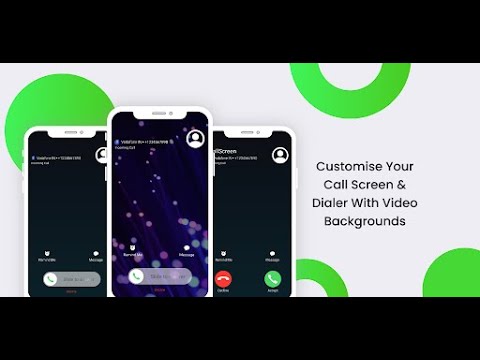
Personalize your Android call screen while keeping contacts, recent calls and dialing tools together. This phone dialer combines a T9 keypad, full-screen caller display and call-management options with backgrounds, ringtones and slide-to-answer controls.
Who is iCallScreen - Phone Dialer for?
It is for people who want their call screen to look different, prefer finding contacts through a T9 dial pad or need favorites and recent calls close at hand. Dual-SIM users can choose a SIM before calling or set a default, while caller announcements and flash alerts offer other ways to notice an incoming call.
What does iCallScreen - Phone Dialer do?
• 🎨 Customize call backgrounds with photos or videos, choose dial-pad colors and use dark mode. Personalize backgrounds and ringtones for individual contacts.
• 📞 Search contacts with the T9 keypad, view contact details, manage favorites and use speed dial. Review recent calls and grouped call logs.
• Slide to answer, or change the accept and decline button styles to suit your call screen.
• 🚫 Block and unblock unwanted callers.
• 🔊 Announce the caller's name or number and adjust flashlight alerts for incoming calls.
• Choose your preferred SIM on a supported dual-SIM phone.
• After a call, use the callback screen to call again, send a message, block the caller or make a note.
• Merge and manage conference calls, with options to separate calls when supported.
• 🎭 Schedule a simulated incoming call with a chosen contact name, number and ringtone.
How does iCallScreen - Phone Dialer work?
Set the app as your default phone app to use its call-handling features. Allow the required call-log access so it can display and manage your call history in the dialer.
Choose your call-screen background, ringtone and answer-button style. Use the dial pad or contacts list to find a person, then place a call. On a dual-SIM device, select the SIM you want or use your chosen default. Your recent calls and callback tools help you follow up afterward.
Compatibility and requirements
The default phone role is required for integrated call handling; call-log access is used for call-history features.
Dual-SIM selection requires a compatible dual-SIM device. Conference merging and separation depend on the calling capabilities available on your device and network. Flash alerts require a phone with a usable flash.
The simulated-call feature creates a fake incoming-call screen; it is not a call from the named person.
The app contains ads and offers in-app purchases.
Privacy
The app may collect and share app information and performance data, along with device or other identifiers.
iCallScreen - Phone Dialer combines a personalized call screen with contact search and practical call controls for your everyday phone use.
iCallScreen - Enjoy the Phone Dialer - Unique Dial Pad on your Android device.
Date de mise à jour
La sécurité, c'est d'abord comprendre comment les développeurs collectent et partagent vos données. Les pratiques concernant leur confidentialité et leur protection peuvent varier selon votre utilisation, votre région et votre âge. Le développeur a fourni ces informations et peut les modifier ultérieurement.
- Cette appli peut partager ces types de données avec des tiersInfos et performance des applis, ID de l'appareil ou autres ID
- Cette appli peut recueillir ces types de donnéesInfos et performance des applis, ID de l'appareil ou autres ID
- Les données sont chiffrées lors de leur transfert
- Impossible de supprimer les données


Notes et avis
301K avis
Nouveautés
- Added Speed Dial Screen
- Improved Design for Contact Details & Settings
- Added Fake Call Feature
- Fixed Call Button Style issue
- Added Option for Change Accept and Decline Call Button style
- Added Call Log Grouping
- Added Flash on Call (Blink Flash Light on Incoming call)
- Bug Fixed
- Improved Performance & User Experience
PEGI 3
En savoir plusAssistance de l'appli
À propos du développeur
NEXTECH AI LTD
support@zipoapps.com
24/1 Mapu
TEL AVIV-JAFFA, 6343423
Israel
+1 856-702-2690


