
Blip!

star
3.93K reviews

PEGI 3
info
500K+
Downloads

PEGI 3
Learn more


About this app
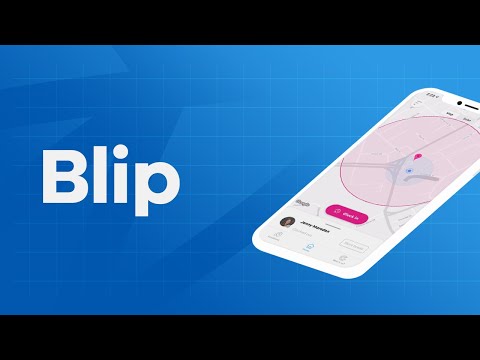
Blip is a free app for BrightHR customers. It lets you easily track your employees’ work hours and locations on the go. Here’s how it works:
Geolocation
Use the app to create a geofence—a virtual boundary—around your workplace. Then, when your employees enter or leave the geofence, Blip picks up their location and asks them to clock in or out, helping you to know exactly where your staff have worked and how long for.
QR codes
Alternatively, you can use Blip’s smart scanning system to record your employees’ work hours instead.
Your staff use Blip to scan a QR code—a type of barcode—when they arrive and leave work. Then, each time they scan the code, Blip will register them as clocked in or out. It’s that simple.
Breaks
Blip makes it easy to track breaks, too. At the tap of a button, your staff can log the start and end of their breaks, so you can see how long and how often they take downtime.
How Blip helps you:
- Check your employees’ work hours and track their location in an instant.
- Keep an eye on your employees’ breaks and make sure they’re getting enough downtime.
- Change an incorrect shift or break time in a few quick taps.
- Create multiple locations and easily track where your employees have worked.
- View a full history of an employee’s work hours and filter the date range easily.
- Export the work history for an individual or team and save it as a spreadsheet for your records.
Geolocation
Use the app to create a geofence—a virtual boundary—around your workplace. Then, when your employees enter or leave the geofence, Blip picks up their location and asks them to clock in or out, helping you to know exactly where your staff have worked and how long for.
QR codes
Alternatively, you can use Blip’s smart scanning system to record your employees’ work hours instead.
Your staff use Blip to scan a QR code—a type of barcode—when they arrive and leave work. Then, each time they scan the code, Blip will register them as clocked in or out. It’s that simple.
Breaks
Blip makes it easy to track breaks, too. At the tap of a button, your staff can log the start and end of their breaks, so you can see how long and how often they take downtime.
How Blip helps you:
- Check your employees’ work hours and track their location in an instant.
- Keep an eye on your employees’ breaks and make sure they’re getting enough downtime.
- Change an incorrect shift or break time in a few quick taps.
- Create multiple locations and easily track where your employees have worked.
- View a full history of an employee’s work hours and filter the date range easily.
- Export the work history for an individual or team and save it as a spreadsheet for your records.
Report on who signs in and out of the office via geolocation and QR Codes!
Updated on
Safety starts with understanding how developers collect and share your data. Data privacy and security practices may vary based on your use, region, and age. The developer provided this information and may update it over time.


Ratings and reviews
3.86K reviews

oce conn
- Flag inappropriate
May 25, 2024
App was great! After a while I was being constantly logged out resulting in me looking like I was being late as it took me so long to log back in. However, since I've got a new phone I can't even log in. Hopefully I've not lost a days wage. I tried everything, new password, logging in and out of bright HR, uninstalled and reinstalled app, location on and off etc. It's a different version to what I had before. "We ran into a snag while loading your data" then goes in a constant loop. Please fix!
71 people found this review helpful

Karima Pearn
- Flag inappropriate
January 10, 2023
Geofencing function is an absolute joke. I don't want to be forced to have my location services on. Also, I left work early this week as I took my break at the end of the day and because I wasn't on site, I couldn't clock out after the break timer. Being reminded to clock in based on my schedule or manual would be the most handy function to have as well as setting break reminders.
26 people found this review helpful
BrightHR
January 16, 2023
Thank you for your review and for taking the time to give us feedback. We are sorry you're having issues using the app. There are functions that don't need your locations settings on via the QR code and manual clock in. We would be happy to look into the issues you are having please email us at feedback@brighthr.com with more details
Kind Regards

Ruth ferguson
- Flag inappropriate
- Show review history
August 5, 2022
It's alright, not being able to clock out after you've left the zone is really silly, so if you forget to clock out you have to remain clocked in till you get back to work the next day, clock out and request a shift adjustment. The app seems to be down a lot, not letting the entire team clock in for 2 hours, not opening at all etc. I enjoy the structure of it, being able to time your breaks and such is good but there's more negative than positive about the app personally.
30 people found this review helpful
BrightHR
January 16, 2023
Thank you for review and taking the time to give us feedback. We are sorry you have had some issues in using our app. We would be interested in hearing more about your experiences so we can look to try to resolve this for you and implement your feedback. Please email us at feedback@brighthr.com with more details
Kind Regards
BrightHR
What’s new
This update contains performance improvements and bug fixes.
PEGI 3
Learn moreApp support
About the developer
BRIGHT HR LIMITED
tony.phan@brighthr.com
THE PENINSULA 2 Cheetham Hill Road
MANCHESTER
M4 4FB
United Kingdom
+44 7791 594697


