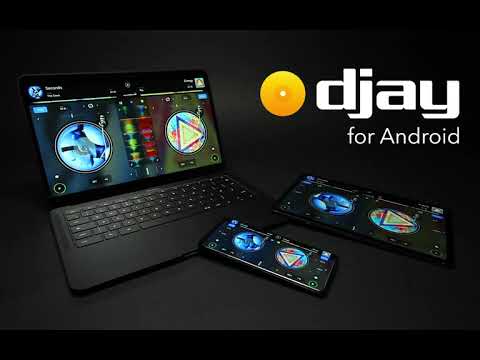

djay - DJ App & AI Mixer
In-app purchases

star
223K reviews

PEGI 3
info
10M+
Downloads

PEGI 3
Learn more


About this app
*** Now with Spotify integration ***
djay transforms your Android device into a full-featured DJ system. Seamlessly integrated with Spotify and Apple Music, djay gives you direct access to millions of songs. You can perform live, remix tracks on-the-go, or let the AI-powered Automix create a seamless mix for you automatically. Whether you are a professional DJ or a beginner who just loves to play with music, djay offers you the most intuitive yet powerful DJ experience on Android.
MUSIC LIBRARY
• Spotify: Millions of tracks + your own playlists (Spotify Premium subscription)
• Apple Music: 100+ million tracks, your personal library in the cloud
• djay Music: Thousands of DJ-ready tracks from top artists and trending genres — included for free!
• TIDAL: Millions of tracks, high quality sound (TIDAL DJ Extension)
• SoundCloud: Millions of underground and premium tracks (SoundCloud Go+)
• Beatport: Millions of electronic music tracks
• Beatsource: Millions of open-format music tracks
• Local Music: all the music stored on your device
AUTOMIX
Lean back and listen to an automatic DJ mix with stunning, beat-matched transitions. The AI-powered Automix intelligently identifies rhythmic patterns including the best intro and outro sections of songs to keep the music flowing.
NEURAL MIX™ Stems
• Isolate vocals, drums, and instruments of any song in real-time
BEAT MAKER & REMIX TOOLS
• Sequencer: create beats on top of your music live
• Looper: remix your music with up to 48 loops per track
• Beat-matched sequencing of drums and samples
• Extensive content library with hundreds of loops and samples.
PRE-CUEING WITH HEADPHONES
Preview and prepare the next song through headphones. By enabling djay’s Split Output mode or by using an external audio interface you can pre-listen to songs through headphones independently from the mix that goes through the main speakers for live DJing.
DJ HARDWARE INTEGRATION
• Bluetooth MIDI: AlphaTheta DDJ-FLX-2, Hecules DJ Control Mix Ultra, Hercules DJ Control Mix, Pioneer DJ DDJ-200
• USB Midi: Pioneer DJ DDJ-WeGO4, Pioneer DDJ-WeGO3, Reloop Mixtour, Reloop Beatpad, Reloop Beatpad 2, Reloop Mixon4
ADVANCED AUDIO FEATURES
• Key lock, time-stretching, pitch shifting
• Real-time stem separation
• Mixer, Filter, and EQ controls
• 50+ Audio FX: Echo, Flanger, Crush, Gate, and more
• Crossfader FX
• Looping & Cue Points
• Automatic BPM and key detection
• Auto gain
• Colored waveforms
Note: djay for Android is designed to run on the Android operating system. However, due to the wide range of Android devices on the market, not all features of djay may be supported on every device. For example, Neural Mix requires an ARM64-based device and is not supported on older devices. Additionally, some Android devices do not support external audio interfaces, including those integrated into certain DJ controllers.
The optional PRO subscription allows you to subscribe once and use djay Pro across all your devices, including access to all PRO features, as well as 1000+ loops, samples, and visuals.
A supported streaming subscription and an internet connection are required to access songs from a streaming service in djay. No recording available for streamed songs. Neural Mix cannot be used when streaming from Apple Music or Spotify. Specific songs may not be available or accessible on your account or in your country. Streaming service availability and pricing may vary depending on country, currency and service.
djay transforms your Android device into a full-featured DJ system. Seamlessly integrated with Spotify and Apple Music, djay gives you direct access to millions of songs. You can perform live, remix tracks on-the-go, or let the AI-powered Automix create a seamless mix for you automatically. Whether you are a professional DJ or a beginner who just loves to play with music, djay offers you the most intuitive yet powerful DJ experience on Android.
MUSIC LIBRARY
• Spotify: Millions of tracks + your own playlists (Spotify Premium subscription)
• Apple Music: 100+ million tracks, your personal library in the cloud
• djay Music: Thousands of DJ-ready tracks from top artists and trending genres — included for free!
• TIDAL: Millions of tracks, high quality sound (TIDAL DJ Extension)
• SoundCloud: Millions of underground and premium tracks (SoundCloud Go+)
• Beatport: Millions of electronic music tracks
• Beatsource: Millions of open-format music tracks
• Local Music: all the music stored on your device
AUTOMIX
Lean back and listen to an automatic DJ mix with stunning, beat-matched transitions. The AI-powered Automix intelligently identifies rhythmic patterns including the best intro and outro sections of songs to keep the music flowing.
NEURAL MIX™ Stems
• Isolate vocals, drums, and instruments of any song in real-time
BEAT MAKER & REMIX TOOLS
• Sequencer: create beats on top of your music live
• Looper: remix your music with up to 48 loops per track
• Beat-matched sequencing of drums and samples
• Extensive content library with hundreds of loops and samples.
PRE-CUEING WITH HEADPHONES
Preview and prepare the next song through headphones. By enabling djay’s Split Output mode or by using an external audio interface you can pre-listen to songs through headphones independently from the mix that goes through the main speakers for live DJing.
DJ HARDWARE INTEGRATION
• Bluetooth MIDI: AlphaTheta DDJ-FLX-2, Hecules DJ Control Mix Ultra, Hercules DJ Control Mix, Pioneer DJ DDJ-200
• USB Midi: Pioneer DJ DDJ-WeGO4, Pioneer DDJ-WeGO3, Reloop Mixtour, Reloop Beatpad, Reloop Beatpad 2, Reloop Mixon4
ADVANCED AUDIO FEATURES
• Key lock, time-stretching, pitch shifting
• Real-time stem separation
• Mixer, Filter, and EQ controls
• 50+ Audio FX: Echo, Flanger, Crush, Gate, and more
• Crossfader FX
• Looping & Cue Points
• Automatic BPM and key detection
• Auto gain
• Colored waveforms
Note: djay for Android is designed to run on the Android operating system. However, due to the wide range of Android devices on the market, not all features of djay may be supported on every device. For example, Neural Mix requires an ARM64-based device and is not supported on older devices. Additionally, some Android devices do not support external audio interfaces, including those integrated into certain DJ controllers.
The optional PRO subscription allows you to subscribe once and use djay Pro across all your devices, including access to all PRO features, as well as 1000+ loops, samples, and visuals.
A supported streaming subscription and an internet connection are required to access songs from a streaming service in djay. No recording available for streamed songs. Neural Mix cannot be used when streaming from Apple Music or Spotify. Specific songs may not be available or accessible on your account or in your country. Streaming service availability and pricing may vary depending on country, currency and service.
Mix Music & Remix Songs
Updated on
Events & offers


Safety starts with understanding how developers collect and share your data. Data privacy and security practices may vary based on your use, region, and age. The developer provided this information and may update it over time.


Ratings and reviews
201K reviews

Lee Boxall
- Flag inappropriate
February 1, 2021
This is a great idea of an app just really need some basic controls which are lacking in the automix section. This app can actually make the mix sound really good problem is you can't add more than one song at a time (frustrating) it won't play the songs in the order you queue them up in (has a mind of its own and plays whatever it feels like) and constantly repeats the same songs over and over (even though you have your songs set to play in a particular order). Please sort it out
214 people found this review helpful
Algoriddim
February 3, 2021
Hi, Thanks for your review. To assist with the Automix issues you've described, it would be helpful to get some additional information from you. Please get in touch with us at feedback@algoriddim.com so we can take a closer look at the current settings of your app. Hope to hear from you soon. Kind regards, Algoriddim Support

Ricki-Lee Abrams
- Flag inappropriate
August 5, 2021
I think it's a really good app, but I can't seem to choose my own start and end cues for songs. For example, trying to add Montero - Lil Nas X to my mix (from SoundCloud) and it only plays like 30secs of it. Plus, I think you should be able to set a maximum length, so that it will cue the next some after 2mins or so. Some songs are over 5mins and it plays nearly the whole thing. Good app otherwise.
71 people found this review helpful
Algoriddim
August 11, 2021
Hi, Thanks for sharing your feedback. You can set start/end cues for songs in Classic mode in the Skip section of the cue points panel for each deck. We really appreciate your suggestions. If you'd like to share more, or have any other questions, please contact us at feedback@algoriddim.com. Cheers, Algoriddim Support

Jay Gillespie
- Flag inappropriate
October 13, 2024
it used to be amazing, now anytime I try and mix 2 songs it automatically puts on sync, I've tried absolutely everything possible for it not to do it, but it keeps doing it all the time, if I play one it doesn't, then if I play the second track it automatically syncs, and it's out of time, changes the tempo, and then I have to reset it, no idea how this keeps happening but it does, there's been many updates since and thought it was a bug, but clearly not.
269 people found this review helpful
Algoriddim
October 15, 2024
Hi there, Sorry about the issue you've encountered. We'd like to help but would need to get some additional information from you to do so. Please reach out to us via the "Submit a Request" form on our website's support page. Kind regards, Algoriddim Support
What’s new
• NEW: All-new desktop experience for Googlebook and Chromebook devices
• Various fixes and improvements
• Various fixes and improvements
PEGI 3
Learn moreApp support
About the developer
Algoriddim GmbH
support@algoriddim.com
Königinstr. 33
80539 München
Germany
+49 89 416177966


