
Princh

star
4.54K reviews

PEGI 3
info
100K+
Downloads

PEGI 3
Learn more


About this app
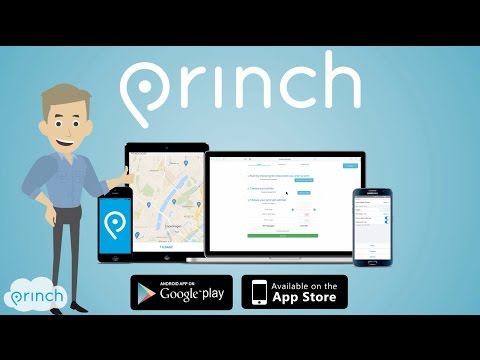
The Princh app lets you easily locate printers nearby and print documents directly from your device.
App quick-guide:
- Locate a nearby printer on the Princh map and go there.
- Open the document you wish to print and tap “open in” Princh.
- Select the printer either by typing in the printer ID or by scanning the QR code by the printer.
- Finish by paying for the print job with your credit card or other payment form and collect your document in the printer.
That’s it!
The Princh network consists of publicly available printers in a multitude of locations such as libraries and print shops etc.
We want to give you the best printing experience possible, so if you have any comments, questions or problems we would love to hear from you at support@princh.com
Thank you for your support!
App quick-guide:
- Locate a nearby printer on the Princh map and go there.
- Open the document you wish to print and tap “open in” Princh.
- Select the printer either by typing in the printer ID or by scanning the QR code by the printer.
- Finish by paying for the print job with your credit card or other payment form and collect your document in the printer.
That’s it!
The Princh network consists of publicly available printers in a multitude of locations such as libraries and print shops etc.
We want to give you the best printing experience possible, so if you have any comments, questions or problems we would love to hear from you at support@princh.com
Thank you for your support!
Easily find a printer nearby and print documents from your mobile device.
Updated on
Safety starts with understanding how developers collect and share your data. Data privacy and security practices may vary based on your use, region, and age. The developer provided this information and may update it over time.
- No data shared with third partiesLearn more about how developers declare sharing
- This app may collect these data typesFinancial info and Files and docs
- Data is encrypted in transit
- Data can’t be deleted


Ratings and reviews
4.46K reviews

Solo One
- Flag inappropriate
- Show review history
August 12, 2025
My review is on using Princh at my local library on my laptop. Interface is good in big fonts, kind of easy buttons. Bad news: No ability to change orientation on app or print format. Needs to be done originally at your file application. Regardless of this, it is poor at rendering format notepad files, readable but the margin is always huge and always portrait whatever you do. I had to put my notepad stuff to word which was a bit pernickety with manual font and adjustments needed.
Princh A/S
September 2, 2025
Hi Solo, Thank you for taking the time to provide such detailed feedback; it's very much appreciated.

Cheryl Anglin - Thompson
- Flag inappropriate
- Show review history
February 26, 2022
8/10 Fairly easy/intuitive to use for a technophobe like me and at 10p per sheet at my local library for a black & white copy, this is extremely good value for money. Colour copies would rack up though. Would be good if there was a way to put credit on your Princh account and draw that down instead of multiple returns to PayPal if you are printing a variety of different documents or same document but pages not sequential. Still impressed with it though.
5 people found this review helpful
Princh A/S
May 16, 2022
Hi Cheryl. If you scan the printer's QR code instead of with your phone's camera it will redirect you to a webpage where you can choose multiple documents at once :-)

Farhana Khalil
- Flag inappropriate
October 8, 2022
Its quite simple and convenient. But if it can allow us to add a collection of print jobs, and then proceed to payment, that would be great. Because now I have to complete the process Ato Z, repeatedly sometimes even 5,6 times when I have a bunch of different documents to print.
1 person found this review helpful
What’s new
- New printer map
- Security updates
- Security updates
PEGI 3
Learn moreApp support
About the developer
Princh A/S
support@princh.com
Bjørnholms Allé 22
8260 Viby J
Denmark
+45 89 88 67 66
