
Bose

star
189K reviews

PEGI 3
info
10M+
Downloads

PEGI 3
Learn more


About this app
The Bose app lets you easily control all your Bose products in one place. Bose app (formerly Bose Music app) compatible speakers, soundbars, amplifiers, headphones, earbuds, OpenAudio products, and portable PA systems are designed to work together seamlessly to enhance your listening experience.
GET THE MOST OUT OF YOUR HEADPHONES AND EARBUDS
Personalize your environment with controllable noise cancellation on our QuietComfort products. With Modes on QuietComfort products, you decide how much of the world to let in. Choose Quiet Mode for full noise cancelling, or Aware Mode to hear your surroundings and your music at the same time. Select products offer Aware Mode with ActiveSense technology, which brings the sounds around you down to a more comfortable level. The result is hearing everything you need to, but at a much more pleasant and balanced volume.
All the QuietComfort and OpenAudio features, like Immersive Audio from the Ultra line, are made readily available for you. Fully customize your experience by balancing the EQ settings, picking your on-product shortcuts, and more all within the app.
EASY SETUP AND TOTAL CONTROL
Easily set up your products and get right to listening. Play the same content throughout your home or listen to different content in different areas—it’s up to you. The Bose app lets you control all your Bose products from any room.
ONE-TOUCH ACCESS
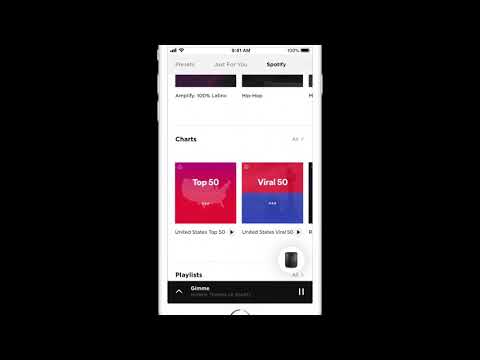
One touch and your home is filled with the music you love most. The Bose app makes it easy to set your favorite playlists or stations as presets. Then you can access them effortlessly on your app, the buttons on your speaker, or soundbar remote.
ActiveSense, Bose, the B logo, and QuietComfort are trademarks of Bose Corporation.
Spotify is a registered trademark of Spotify AB.
TuneIn is a registered trademark of TuneIn, Inc.
Google is a trademark of Google LLC.
Amazon, Amazon Music, Alexa and all related logos are trademarks of Amazon, Inc. or its affiliates.
Wi-Fi® is a registered trademark of Wi-Fi Alliance®.
Pandora, the Pandora logo and the Pandora trade dress are trademarks or registered trademarks of Pandora Media, Inc. used with permission.
iHeartRadio is a registered trademark of iHeartMedia, Inc.
SiriusXM and all related marks and logos are trademarks of Sirius XM Radio Inc. and its subsidiaries. All rights reserved.
Privacy Policy
https://worldwide.bose.com/privacypolicy
California Privacy Notice of Collection
https://www.bose.com/californiaprivacynoticeofcollection
[Location]
Location access is not required to use the Bose app. The app does not collect location data through your device's location services.
[Microphone]
Microphone access is optional and is used only for CustomTune, which uses audio measurements to personalize your listening experience. If you do not use CustomTune, you can decline microphone access and continue to use the rest of the app.
[Nearby devices]
Nearby devices access is required. This permission allows the app to find, connect to, and communicate with supported Bose Bluetooth products.
[Notifications]
Notification access is optional. You can decline notification access and continue to use the app.
GET THE MOST OUT OF YOUR HEADPHONES AND EARBUDS
Personalize your environment with controllable noise cancellation on our QuietComfort products. With Modes on QuietComfort products, you decide how much of the world to let in. Choose Quiet Mode for full noise cancelling, or Aware Mode to hear your surroundings and your music at the same time. Select products offer Aware Mode with ActiveSense technology, which brings the sounds around you down to a more comfortable level. The result is hearing everything you need to, but at a much more pleasant and balanced volume.
All the QuietComfort and OpenAudio features, like Immersive Audio from the Ultra line, are made readily available for you. Fully customize your experience by balancing the EQ settings, picking your on-product shortcuts, and more all within the app.
EASY SETUP AND TOTAL CONTROL
Easily set up your products and get right to listening. Play the same content throughout your home or listen to different content in different areas—it’s up to you. The Bose app lets you control all your Bose products from any room.
ONE-TOUCH ACCESS
One touch and your home is filled with the music you love most. The Bose app makes it easy to set your favorite playlists or stations as presets. Then you can access them effortlessly on your app, the buttons on your speaker, or soundbar remote.
ActiveSense, Bose, the B logo, and QuietComfort are trademarks of Bose Corporation.
Spotify is a registered trademark of Spotify AB.
TuneIn is a registered trademark of TuneIn, Inc.
Google is a trademark of Google LLC.
Amazon, Amazon Music, Alexa and all related logos are trademarks of Amazon, Inc. or its affiliates.
Wi-Fi® is a registered trademark of Wi-Fi Alliance®.
Pandora, the Pandora logo and the Pandora trade dress are trademarks or registered trademarks of Pandora Media, Inc. used with permission.
iHeartRadio is a registered trademark of iHeartMedia, Inc.
SiriusXM and all related marks and logos are trademarks of Sirius XM Radio Inc. and its subsidiaries. All rights reserved.
Privacy Policy
https://worldwide.bose.com/privacypolicy
California Privacy Notice of Collection
https://www.bose.com/californiaprivacynoticeofcollection
[Location]
Location access is not required to use the Bose app. The app does not collect location data through your device's location services.
[Microphone]
Microphone access is optional and is used only for CustomTune, which uses audio measurements to personalize your listening experience. If you do not use CustomTune, you can decline microphone access and continue to use the rest of the app.
[Nearby devices]
Nearby devices access is required. This permission allows the app to find, connect to, and communicate with supported Bose Bluetooth products.
[Notifications]
Notification access is optional. You can decline notification access and continue to use the app.
An easy-to-use app to control Bose smart products.
Updated on
Safety starts with understanding how developers collect and share your data. Data privacy and security practices may vary based on your use, region, and age. The developer provided this information and may update it over time.
- No data shared with third partiesLearn more about how developers declare sharing
- This app may collect these data typesPersonal info, App activity and 2 others
- Data is encrypted in transit
- You can request that data be deleted


Ratings and reviews
182K reviews

Paul Morris
- Flag inappropriate
February 25, 2026
A recent change seems to have introduced two bugs. Firstly, when the earbuds are fully charged (white LED flashing), the app reports them as 90% charged. Secondly, it keeps forgetting the earbuds exist, and having to search and reconnect. This latter problem happens about every other day. It also keeps nagging me to sign up to an account, which I have no intention of doing. No way to contact Bose to log a bug report. The earbuds are fantastic, but the app lets them down a bit.
44 people found this review helpful

DeathByBunnies
- Flag inappropriate
September 14, 2026
The app would be fine if it wasn't the ONLY way to handle settings on my new headphones. I'm using these for my desktop computer. Multi connection causes static, so I disabled it. But now in order to change settings like noise cancellation levels, I have to reconnect to my phone - a huge pain within range of my PC - to do anything! And then I have to go through the whole complicated rigamarole to set it up on my PC alone again! There should be a way to do this on your PC!
8 people found this review helpful

Lucas Kaczmarski
- Flag inappropriate
- Show review history
September 14, 2026
The app stopped connecting to my Earbuds Open despite the fact they're connected to my phone via Bluetooth! There is also some service running constantly in the background draining battery and showing a notification constantly. Embarassing app quality for Bose. Edit: tried few months later and it's even worse. Can't pair with any device. "ready to connect" and any attempt to pair from any device fails. Absolutely my last Bose product.
11 people found this review helpful
What’s new
- Addressed and fixed key issues to help improve your overall experience
PEGI 3
Learn moreApp support
About the developer
Bose Corporation
matthew_jannace@bose.com
100 The Mountain Rd
Framingham, MA 01701
United States
+1 508-766-4699


