
TP-Link Deco
In-app purchases

star
247K reviews

PEGI 3
info
10M+
Downloads

PEGI 3
Learn more


About this app
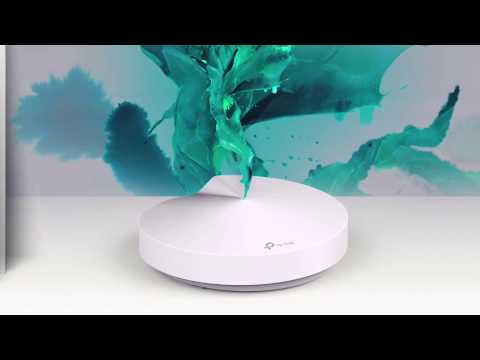
Welcome to the Deco App — the perfect way to set up your mesh WiFi in minutes and control your whole network.
Our simple-to-follow guide walks you through the setup process and even gives you suggestions for whole home coverage.
Once connected, you’ll have instant access to check every connected device, manage your kids’ online activity, and control your home network effortlessly. All from the palm of your hand.
- EASY TO SET UP AND MANAGE
• Quickly set up with step-by-step instructions
• Find the best spots to place additional Deco units for maximum coverage
• Control your WiFi network without turning on your computer
• Check your connection status and network speed at a glance
• Find out who or what is connecting to your network
• Instantly block unwanted devices with a tap
- PROTECT YOUR WIFI
• Detect potential threats and receive warnings before things get serious
• Create a guest network to give friends internet access while shielding your private network
• Block unauthorized access and inappropriate content
• Run network performance tests
- FIND FAMILY TIME WITH PARENTAL CONTROLS
• Set a time restriction and pause the WiFi on kids’ devices
• Control when specific devices have WiFi access
• Make room for more family time with Schedules
- PRIORITIZE YOUR FAVORITE DEVICES
QoS lets you choose which devices always have the fastest connections. Set a schedule to assign device priority for different times of the day.
- KNOW EVERYTHING ABOUT YOUR NETWORK
Detailed reports help you understand your home WiFi and everything connected.
- CREATE YOUR SMART HOME
Connect, control, and check the status of your smart cameras, plugs, and lights – all from the Deco app.
Features available in Deco may vary by model and software version. Stay tuned for updates as we add new features and products to the Deco family!
Privacy Policy: https://privacy.tp-link.com/app/Deco/privacy
Term of Use: https://privacy.tp-link.com/app/Deco/tou
HomeShield Subscription Service Agreement: https://privacy.tp-link.com/others/homeshield/sa
HomeShield Privacy Policy: https://privacy.tp-link.com/others/homeshield/policy
For more information about Deco, visit www.tp-link.com
Our simple-to-follow guide walks you through the setup process and even gives you suggestions for whole home coverage.
Once connected, you’ll have instant access to check every connected device, manage your kids’ online activity, and control your home network effortlessly. All from the palm of your hand.
- EASY TO SET UP AND MANAGE
• Quickly set up with step-by-step instructions
• Find the best spots to place additional Deco units for maximum coverage
• Control your WiFi network without turning on your computer
• Check your connection status and network speed at a glance
• Find out who or what is connecting to your network
• Instantly block unwanted devices with a tap
- PROTECT YOUR WIFI
• Detect potential threats and receive warnings before things get serious
• Create a guest network to give friends internet access while shielding your private network
• Block unauthorized access and inappropriate content
• Run network performance tests
- FIND FAMILY TIME WITH PARENTAL CONTROLS
• Set a time restriction and pause the WiFi on kids’ devices
• Control when specific devices have WiFi access
• Make room for more family time with Schedules
- PRIORITIZE YOUR FAVORITE DEVICES
QoS lets you choose which devices always have the fastest connections. Set a schedule to assign device priority for different times of the day.
- KNOW EVERYTHING ABOUT YOUR NETWORK
Detailed reports help you understand your home WiFi and everything connected.
- CREATE YOUR SMART HOME
Connect, control, and check the status of your smart cameras, plugs, and lights – all from the Deco app.
Features available in Deco may vary by model and software version. Stay tuned for updates as we add new features and products to the Deco family!
Privacy Policy: https://privacy.tp-link.com/app/Deco/privacy
Term of Use: https://privacy.tp-link.com/app/Deco/tou
HomeShield Subscription Service Agreement: https://privacy.tp-link.com/others/homeshield/sa
HomeShield Privacy Policy: https://privacy.tp-link.com/others/homeshield/policy
For more information about Deco, visit www.tp-link.com
Welcome to the Deco App — the perfect way to set up your mesh WiFi in minutes
Updated on
Safety starts with understanding how developers collect and share your data. Data privacy and security practices may vary based on your use, region, and age. The developer provided this information and may update it over time.
- No data shared with third partiesLearn more about how developers declare sharing
- This app may collect these data typesPersonal info, Photos and videos and 3 others
- Data is encrypted in transit
- You can request that data be deleted


Ratings and reviews
239K reviews

Tony Fisher
- Flag inappropriate
- Show review history
September 3, 2026
Works like a dream, the app is smooth and brings you info on all your stuff. We have 4 Deco, 1 unit connected to our router 3 connected with network cables and 1 with WiFi. I got Android Gemini to help me tweek everything so it all runs brilliantly with the app. Running our phones over WiFi the mobile signal here is rubbish, setup so a phone will find the strongest Deco signal as I move around our long garden and house walls. With Gemini it's all so well setup. Now fast constant speeds too.
7 people found this review helpful

Simon Giddings
- Flag inappropriate
November 4, 2024
We couldn't find Deco. That's what the app spends most of its time telling me. Occasionally it will show the three units for a few minutes. If I want to change anything, something simple like renaming a unit for example. Nope. It lets me choose a new name, press save, then simply ignores the change. It's never "live" ... I can unplug a unit and it will continue to show as "online", in-between telling me "We can't find Deco" that is. Expensive system, terrible app and poor WiFi.
16 people found this review helpful

Gianluca Martena
- Flag inappropriate
June 3, 2025
I don't know what is TP-Link's problem with setting up a router the normal way, by connecting to 192.168.1.1, but force you to download an app from the internet to set up internet access is very ironic. Almost amusing, if seen from outside. Oh, they also force you to create yet another account, yet another time you have to input your personal data, so that you can manage your own router that you paid for. And in an era where everything has to be "smart", this process is not even without hassle.
5 people found this review helpful
What’s new
Fixed some bugs and improved stability.
PEGI 3
Learn moreApp support
About the developer
TP-Link Systems Inc.
app.support@tp-link.com
10 Mauchly
Irvine, CA 92618-2306
United States
+1 866-225-8139


